
Quick AI Win: A Jellyfin Playlist for Better Cable TV
LLMs solve coding problems I don’t want to spend too much time on, and they complete them exponentially faster than if I were to do it.
For example: Indecisive on dinner? I might load up all my favorite dishes in a config and have AI make a program to choose a random one without repeats. That solves the initial concern and was probably a few lines of code, but I might want more (web interface? dockerize it to run on server? CRUD?). The idea is simple: a randomizer of some text. But it always leads to me thinking what it could be but juggling the time I want to spend on it.
This weekend I made an improvement to how I watch shows in Jellyfin, taking inspiration from Cable TV.
Problem
Sometimes I want to watch something in my down time, but deciding what to watch feels like a major commitment. There are a number of shows that make me happy for nostalgic reasons, but I really can’t decide to sit down and watch 9 seasons in a row because. I’d like to have some control over what can be played, but I don’t necessarily want to decide every time a show finishes.
Solution
Solution: Cable TV, but without commercials or shows you don’t care about.
It took 1-2 minutes to:
- Prompt an LLM for a script to interleave episodes of my favorite shows until a season is complete, then go through seasons until they’re all over
- Run the script
- Refresh the metadata in Jellyfin to load the Playlist
The Prompt
I want to write a program that can produce this file. All my TV series are in /volume1/docker/tv/. I want to find <show 1>, <show 2>, <show 3>, <show 4>, <show 5>, <show 6>. The program should have a config where I can list shows, and it would start with Season 1 of each season, interleaving episodes from each show until each run out and until season 1 is done, then move on to the next one. Write this in python.
In the script, the files are found in /volume1/docker/tv/… but you should output it in the XML file as just /tv because it’s mounted as that path in docker.
Example output file (xml):
<?xml version="1.0" encoding="utf-8" standalone="yes"?>
<Item>
	<ContentRating>TV-PG</ContentRating>
	<Added>01/01/0001 00:00:00</Added>
	<LockData>false</LockData>
	<LocalTitle>Good TV</LocalTitle>
	<RunningTime></RunningTime>
	<Genres></Genres>
	<OwnerUserId></OwnerUserId>
	<PlaylistItems>
		<PlaylistItem>
			<Path>/tv/Show1/Season 1/Show1 - S01E01 - Pilot.mkv</Path>
		</PlaylistItem>
		<PlaylistItem>
			<Path>/tv/Show2/Season 1/Show2 - S01E01 - Pilot.mkv</Path>
		</PlaylistItem>
		<PlaylistItem>
			<Path>/tv/Show3/Season 1/Show3 - S01E01 - Pilot.mkv</Path>
		</PlaylistItem>
	</PlaylistItems>
	<Shares />
	<PlaylistMediaType>Video</PlaylistMediaType>
<Item>
Output
The script it outputted is roughly contained in this Gist.
Afterwards, I have a playlist that plays shows in the following order:
- S01E01 of Series 1
- S01E01 of Series 2
...
- S01E02 of Series 1
- S01E02 of Series 2
...
...
- S01E12 of Series 1
- S01E12 of Series 2
...
- S02E01 of Series 1
- S01E01 of Series 2
Perks
Some benefits I didn’t consider but we’re realizing are a great side effect of this:
- Spouse approval 👍 👍 - my wife likes it as much as I do and we both can’t wait to kick off the next TV night
- Anticipation - when you binge a show it you get through it so quickly you can’t savor it
Alternative algorithms
This solves the problem I had, but more could be done here to make it work for you. Some ideas might be:
- Randomize the shows that appear
- Space out shows so all show finales end at the same time (some shows might be 24 episodes while other 8 - doing it the original way would get through one show and you wouldn’t see it again for a long time)
- Don’t wait for the season boundaries to start on the next season of certain shows
- Interleave in movies - right now I only do TV shows but Jellyfin playlists can handle movies too
What’s in your playlist?
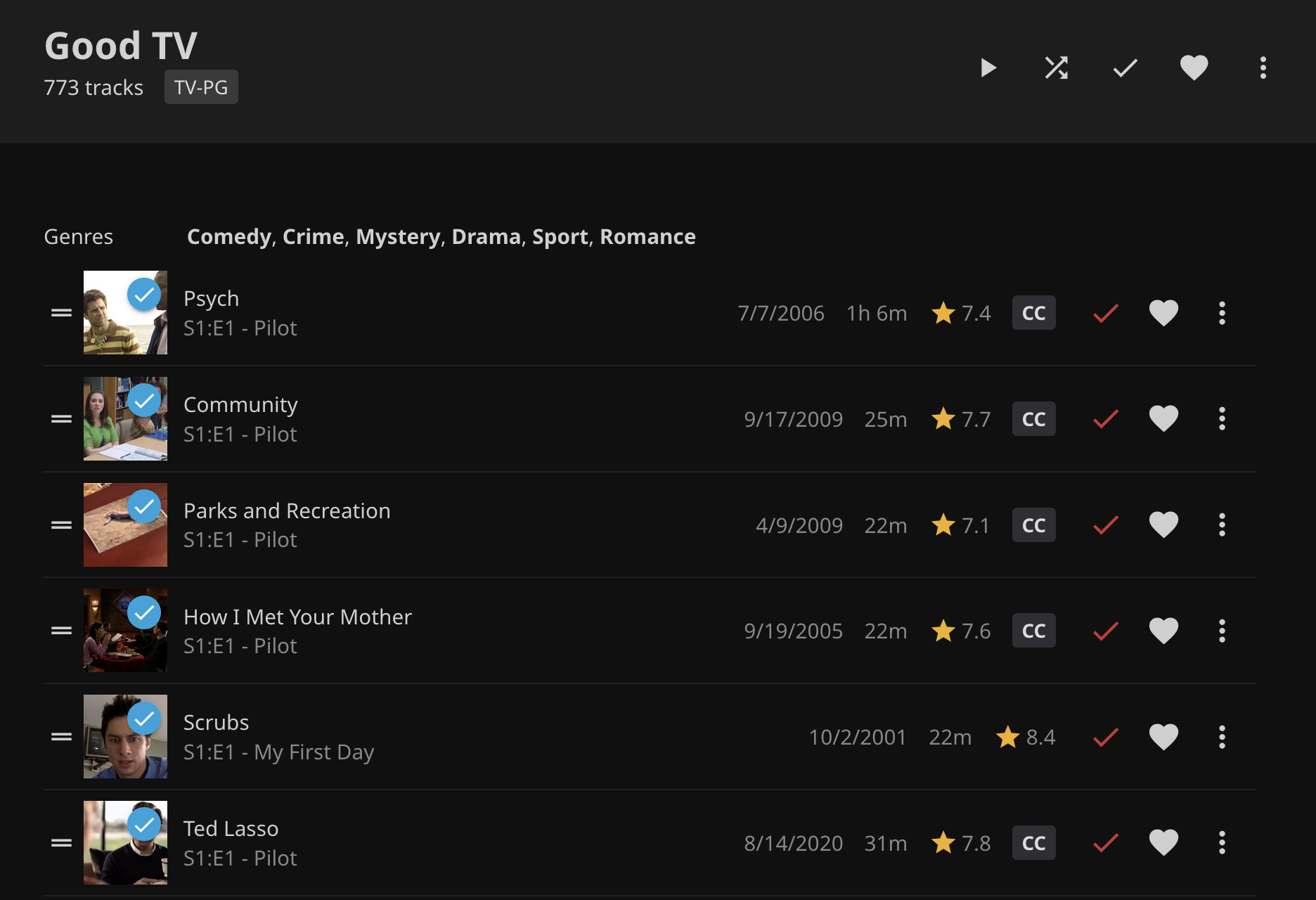
The Psych, Scrubs, Community, HIMYM, Ted Lasso, Parks and Rec watch-a-thon is in full flight. Happy binge-watching!